
 11 August 2026
 Share
Share
1
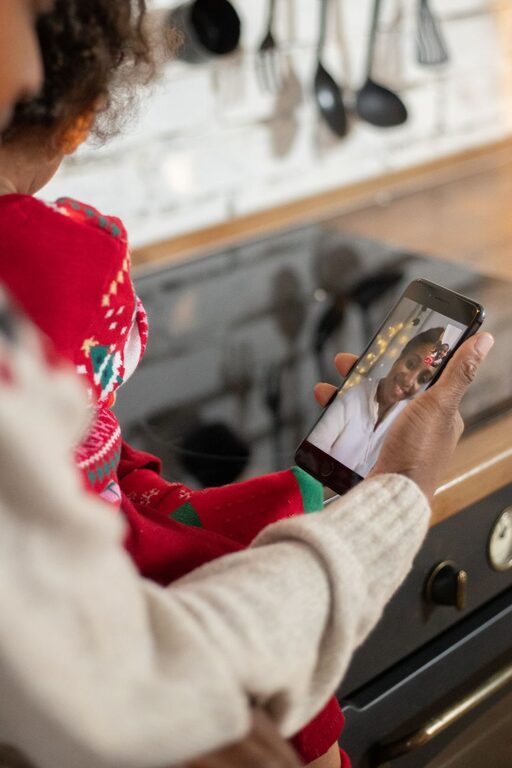
Video calls make it easier to stay close to family, even when people live in different cities, states, or countries. With a phone, tablet, or computer, family members can see one another, share updates, celebrate special moments, and enjoy time together from almost anywhere.
The best video calls do not have to be complicated. A little planning can help everyone feel comfortable and included. Whether you are new to video calling or want to improve your family’s routine, these practical tips can help.
Start by choosing a video calling service that works on the devices your family already uses. Popular options include services that run on smartphones, tablets, and computers. Look for an app with features such as:
– Simple sign-in and contact setup
– Clear audio and video
– Group calling
– Screen sharing
– Chat or messaging
– Adjustable privacy settings
– Support for different types of devices
Try to choose one main service for regular family calls. Using the same app each time makes it easier for everyone to remember how to join.
Before the first family call, install the app and complete a short test call. Check that the camera, microphone, and speakers work correctly. If several family members are less comfortable with technology, offer to help them set up their accounts.
A regular schedule makes it easier for family members to stay connected. Instead of waiting for everyone to find free time, choose a day and time that works for most people.
For example, your family might arrange:
– A short weekday check-in
– A weekend family gathering
– A monthly call for relatives who live farther away
– A special call for birthdays and holidays
– A relaxed conversation before or after dinner
Keep the schedule realistic. A call does not need to last an hour to be worthwhile. Even 15 or 20 minutes can help people share news and feel connected.
Use a shared calendar or group message to remind everyone about upcoming calls. If the time changes, send an update as early as possible. A consistent routine is helpful, but flexibility is important when family members have busy schedules.
A few simple adjustments can make a video call easier to see and hear.
Choose a quiet location with good lighting. Face a window or place a lamp in front of you so that your face is visible. Avoid sitting with a bright window behind you, as this can make you appear dark on screen.
Place your device on a stable surface rather than holding it throughout the call. This keeps the camera steady and allows you to use both hands. If you are using a phone or tablet, a simple stand or a stack of books can help position it at eye level.
Before the call, check:
– Your internet connection
– The device battery
– The camera angle
– The microphone
– Your background
– Any headphones you plan to use
If your internet connection is slow, turn off other apps or devices that may be using a lot of bandwidth. Moving closer to your wireless router may also help.
Group video calls can become confusing when several people speak at once. A little structure helps everyone participate.
At the beginning of the call, greet each person by name. This is especially useful when some family members are joining from small screens or less familiar devices. Ask each person a simple question, such as, “How has your week been?” or “What was the best part of your day?”
Try these habits during the conversation:
– Allow people to finish speaking
– Pause briefly before responding
– Invite quieter relatives to share
– Use names when asking a question
– Keep background noise low
– Be patient with delays or technical problems
Young children may not stay focused for a long conversation, while older relatives may need extra time to hear or respond. Adjust the pace to suit the group rather than expecting everyone to participate in the same way.
A video call can be more enjoyable when there is something to do together. Planned activities give the conversation a natural focus and help prevent awkward pauses.
Consider trying:
Choose a simple meal or snack, then eat together while talking. Family members can compare recipes, show their plates, or share a favorite dessert. This creates a familiar routine, even when everyone is in a different location.
Many games work well over video calls. Try trivia, guessing games, word games, or a family version of “20 Questions.” For younger children, show-and-tell or a scavenger hunt can be entertaining.
Ask each person to bring a few photos to share. These might include recent pictures, family memories, travel photos, or images of a hobby. Photos often lead to stories and conversations that might not come up during a regular check-in.
Use video calls for birthdays, graduations, anniversaries, and other important events. Family members can sing together, open gifts, decorate their spaces, or share a toast with a favorite nonalcoholic drink.
Read a short story, work on a craft, exercise gently, or watch a short video together. A shared activity can make the call feel less like a meeting and more like time spent together.
Children often enjoy seeing family members on screen, but long conversations may be difficult for them. Keep calls with children active and brief when possible.
Let them show a favorite toy, drawing, book, or pet. Ask questions that invite more than a one-word answer, such as, “Can you tell us how you made that?” or “What does your toy like to do?”
You can also create a simple call routine. For example, begin with a greeting, spend a few minutes on an activity, and finish with a consistent goodbye. Predictable steps can help children understand what to expect.
Do not worry if a child leaves the screen or becomes distracted. The goal is to create a positive connection, not a perfect conversation.
Some relatives may need assistance with small text, hearing, device controls, or joining a call. Make the process easier by providing clear instructions with screenshots or by practicing together before the first group call.
During the call, speak clearly and avoid covering your mouth. Good lighting can help people read facial expressions and follow the conversation. If the sound is difficult to understand, try headphones or adjust the device volume.
A family member who is uncomfortable with technology may prefer a shorter call or one-on-one practice. Patience and encouragement can make video calling feel much less stressful.
Use the privacy settings provided by your video calling service. Keep meeting links or invitations within the family, and avoid sharing them publicly. Use a password or waiting room if the service offers those features.
Before starting, make sure everyone is comfortable with being on camera. Some people may prefer to turn off their camera occasionally or join by audio only. Respecting these preferences helps video calls remain welcoming.
Video calls are most useful when they support genuine family connection. Avoid making every call a list of questions or updates. Leave room for humor, memories, quiet moments, and everyday conversation.
Ask about interests, plans, and small details. Share your own experiences too, including ordinary moments such as a new recipe, a walk, or something interesting you noticed during the day.
If a call does not go well, try again another time. Technical problems, tiredness, and busy schedules happen. What matters most is making a steady effort to stay in touch.
With a reliable routine, a comfortable setup, and a few simple activities, video calls can become a natural part of family life. They cannot replace every in-person visit, but they can help family members share time, support one another, and remain part of each other’s daily lives.
